Kids Toddler & Preschool Games
- 4.7
- Rating
- 10.00M
- Installs
- Free
- Price
 Analysis by App-foxy
When I first opened Kids Toddler & Preschool Games, I immediately understood its purpose: it is a collection of simple learning activities for young children, not a long-form game with a single story or complicated progression. That distinction matters. A preschooler can move between short activities without needing to understand menus, missions, or a reward economy, while a parent can choose something suitable for a quick learning break.
This is a free educational game from RV AppStudios, aimed at children from three to five years old. It is rated Everyone, works on Android 6.0 and later, and was released on November 22, 2023. The app has built a substantial audience, with over 10 million installs and a 4.7 average from around 7.7 thousand ratings. Those figures do not replace hands-on judgement, but they do suggest that the straightforward format has connected with many families.
What to expect when you open the game
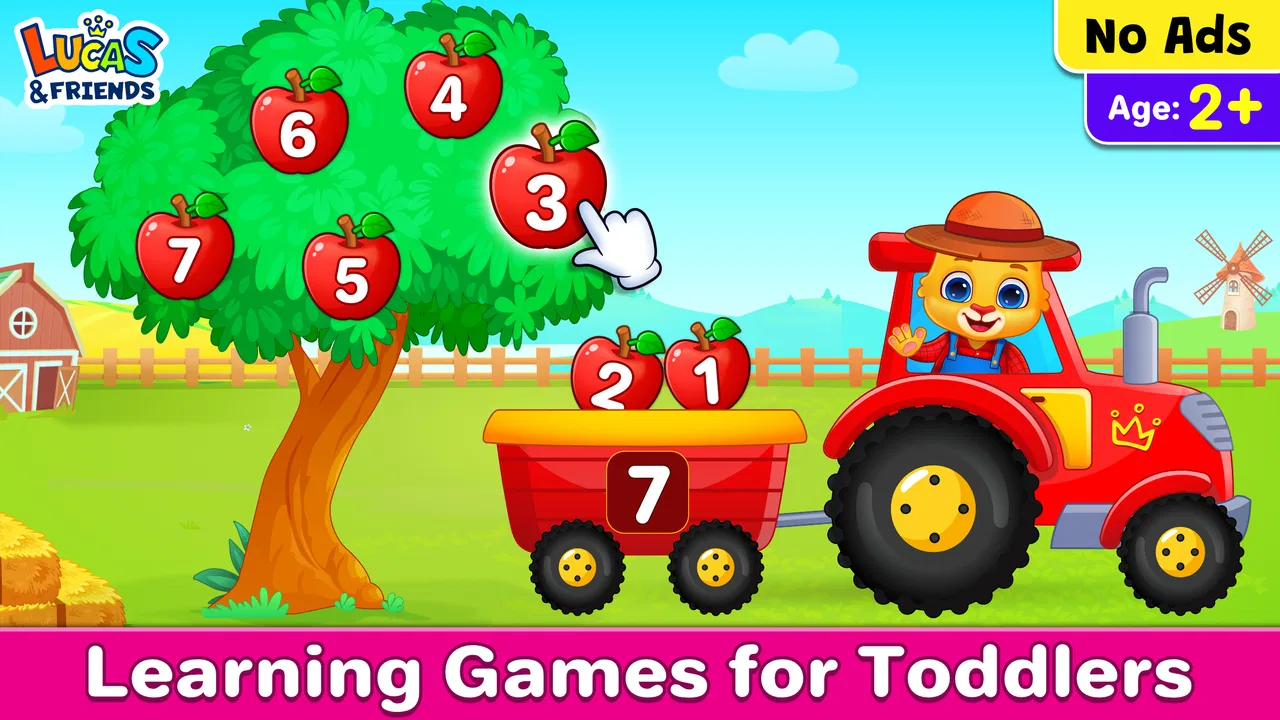
The best way to think about this app is as a small digital activity shelf. It offers more than 15 educational games for boys and girls in the preschool range, so the experience is broader than practising one isolated skill. A child may spend one session exploring recognition, matching, counting, or another early-learning task, then switch to a different activity when attention starts to fade.
You May Also Like

 Blood Strike: 2.5 Anniversary
Blood Strike’s Loadouts Turn Every Drop Into a Tactical Gamble
A close look at Blood Strike’s custom loadouts: how fast access to signature weapons reshapes its battle royale rhythm, rewards preparation, and narrows the gap between fights.

 Pandora - Music & Podcasts
Pandora’s Music Is Easy to Start, but Harder to Recover
Pandora’s strength is its low-effort path from a seed to a station. Its weak spot is how much confidence it asks you to place in connection, setup, and quiet recovery.

 8 Ball Pool
 Is Built on Rivalries, Rematches, and Routine
A close look at the rivalries, rematches, shared routines, and unanswered safety questions that turn a quick pool match into a persistent mobile community.

 Samsung Music
’s Quiet Strength Is Playing What You Already Own
Its reach comes less from spectacle than from dependable access to a personal library. That simplicity is both the app’s strongest retention engine and its ceiling.

 AccuWeather: Weather Radar
AccuWeather Review: A Quick, Clear Forecast for Everyday Decisions
For everyday plans, the best forecast is the one you can understand quickly. AccuWeather makes rain timing, radar, and local conditions easy to act on, with a few trade-offs.

 Hill Climb Racing
Why Hill Climb Racing Still Turns Crashes Into One More Run
A tiny car, a bumpy hill and one more upgrade: Hill Climb Racing keeps resurfacing because its simple chaos makes every near-miss feel personal.
More From Our News Desk



I would not install it expecting the depth of a dedicated reading course, a structured mathematics curriculum, or a competitive arcade game. Its strength is variety at an early level. The activities are designed to feel approachable, with the learning hidden inside simple interactions. For a child who becomes frustrated by worksheets, that can be a useful change of pace.
The age range is important. A three-year-old and a five-year-old can both use the game, but they may not get the same value from every activity. Younger children may need an adult nearby to explain what to do, especially during the first session. Older preschoolers may move quickly through familiar tasks and need a parent to encourage them to describe their choices rather than simply tap through.
I also found that the app works best as a shared starting point rather than an automatic babysitter. The activities are simple enough for independent exploration once a child understands them, but the strongest learning moments often happen when an adult asks a follow-up question: “Why did you choose that one?” or “Can you find another shape like it?” That small conversation turns screen time into a more active lesson.
Why the collection format helps
Young children rarely have the same attention span every day. A child who enjoys sorting in the morning may prefer a number-based activity later, while another child may need several attempts before a matching task feels comfortable. Having a group of activities makes it easier to follow the child’s mood without leaving the app and searching for another game.
There is also a practical advantage for parents. Instead of installing separate apps for several early-learning themes, you can begin with one free package and see which types of activities hold your child’s interest. That makes it a sensible first experiment for families who are unsure whether a preschool learning app will become part of their routine.
The trade-off is that a collection can feel less focused than a specialist app. If your main goal is systematic phonics, handwriting practice, or a carefully staged numeracy program, I would look for a more dedicated alternative. This game is better at offering a friendly range of introductions than at replacing a full teaching plan.
Getting through the first setup without stress
My advice is to open the game before handing the device to a child. Spend a minute looking through the available activities so you know where the simplest starting point is. This avoids the common situation where a child taps randomly while an adult tries to understand the layout at the same time.
Because the game is intended for young children, an adult should handle the initial device setup and decide where the session will happen. A tablet on a stable surface is usually easier for small hands than a phone, although a phone can be useful for a short waiting-room session or a quick activity while travelling. The important point is to begin with the screen positioned comfortably and the child able to tap without constantly shifting the device.
I would start with the activity that has the clearest visual goal rather than choosing one because its title sounds academically important. The first success should come quickly. If a child has to listen to a long explanation before touching anything, interest may disappear before the learning begins.
It also helps to set a small boundary before opening the app. I prefer saying, “We will try two activities, then we will stop,” rather than promising unlimited play. That makes the transition out of the game easier and keeps the app in the role of a short learning tool rather than an endless source of stimulation.
There is no need to turn the first session into a test. Sit beside the child, demonstrate one action, and then let them try. If they choose incorrectly, wait a moment before correcting them. Preschoolers often need time to compare the images or understand the relationship between an object and its destination.
The first meaningful success
The first useful milestone is not finishing a complete activity. It is seeing the child understand the interaction well enough to make a choice without being guided every time. That might mean selecting a matching item, placing something in the right group, or responding to a visual prompt. Once the child recognises the pattern, the app becomes much more inviting.
I recommend using a “show, try, explain” rhythm. First, show one example without taking over the whole activity. Next, let the child attempt the following item. Finally, ask them to explain what they noticed. The explanation can be very simple, such as pointing out that two pictures look alike or that one group has more objects. This approach gives the game a purpose beyond getting the next tap right.
If the child succeeds immediately, do not rush to the next activity. Ask for one extra example from the room. If the game involves colours, look for that colour nearby. If it involves counting, count a few safe household objects together. These short connections are one of the most valuable ways to extend what the app presents on screen.
On the other hand, if the child misses several times, I would not assume the activity is too difficult or that the child is not ready to learn. The problem may be the instruction, the size of the target, or simply tiredness. Try one demonstration, reduce verbal commentary, and allow another attempt. If the child still looks confused, switch activities rather than turning the session into a struggle.
Where first-time users may get confused
The biggest source of confusion is likely to be the difference between an activity that teaches a new idea and one that simply reinforces a familiar idea. A child may complete a task by trial and error without understanding why the answer works. That is why I would watch the first few rounds rather than assuming a correct tap proves comprehension.
Another common issue is over-helping. Adults naturally want to point to the answer, but doing that repeatedly turns the child into a passenger. A better prompt is to describe what to look for: “Which one has the same shape?” or “Can you check the colours again?” This keeps the decision with the child while still offering support.
Children can also tap quickly when they are excited. Fast tapping may make an activity look easier than it really is, because the child is reacting to bright pictures instead of thinking about the task. I found it more useful to encourage a pause before each choice. Even a brief “look first, tap second” habit can improve attention.
Parents should also expect different levels of independence across activities. A child may navigate one game confidently but need help with another. That is normal for a mixed collection aimed at a broad preschool range. I would judge the app by whether it gives the child several approachable entry points, not by whether every activity is equally easy on the first attempt.
If your child is still learning to control precise taps, a small phone screen may add unnecessary difficulty. In that case, a larger screen can make the visual targets easier to distinguish. This is not a reason to reject the game; it is a reminder that the device itself affects how accessible a preschool activity feels.
Turning short play into a useful routine
After the first successful session, I would resist the temptation to move through every activity immediately. A better next step is to choose two that feel different. For example, pair a recognition task with something involving counting or sorting. The contrast helps you see which skills are comfortable and which ones need more support.
A simple routine is to begin with a familiar activity, try one less familiar activity, and finish by talking about what happened. Starting with success gives the child confidence. The middle activity provides a manageable challenge. The closing conversation helps the child remember the idea instead of treating the session as a sequence of taps.
This is also where the collection format becomes more useful than a single repetitive game. You can adjust the session without making the child feel that they have failed. If one activity is frustrating, move to another and return to the difficult one on a different day. That flexibility is especially helpful for children whose energy and patience vary widely.
I would keep an eye on whether the child is learning from mistakes or merely repeating them. If they make the same choice several times, pause the game and model the thinking process with real objects. For instance, compare two items on the table or group a few toys by a visible feature. Then return to the app and see whether the connection helps. This offline-to-online loop is a more effective use of the game than simply increasing the number of rounds.
Another practical tip is to let the child choose between two activities rather than opening the entire collection and asking what they want. Too many choices can be tiring at this age. Offering a limited choice gives the child ownership while keeping the session focused.
Who will get the most from it
I think this game is a good fit for parents looking for a free first step into educational games for preschoolers. It is particularly suitable when a child enjoys visual matching, short challenges, and switching between activities. Families with more than one preschooler may also appreciate the variety, since siblings can prefer different tasks without needing separate apps.
It can be useful during small gaps in the day: a calm activity before dinner, a short learning break after preschool, or something familiar to use while waiting for an appointment. I would keep those sessions intentional. The app is most effective when it fills a small space in the day and is followed by conversation or hands-on play.
It is less suitable for a child who needs a highly structured lesson sequence or who becomes overstimulated by moving between activities. In that situation, a quiet book, physical puzzle, or specialist learning program may be a better choice. I would also skip it as the main tool for a child who needs targeted support with a specific developmental skill; an educator or specialist can provide a more personalised plan.
Older children who already read independently or expect complex challenges may find the content too basic. The same is true for children who prefer open-ended creative play rather than tasks with a clear correct response. The app’s simplicity is an advantage for its intended audience, but it naturally limits its usefulness beyond the preschool stage.
How it compares with familiar alternatives
Compared with separate single-skill apps, this game is more convenient because it gathers a range of early activities in one place. You spend less time switching between products, and your child can move to another type of task when interest drops. The compromise is that a specialist app may offer a clearer progression in one subject.
Compared with paper worksheets, the game is more interactive and may feel less like formal work. It can provide immediate feedback through the activity itself, while a worksheet depends more heavily on an adult checking each response. Worksheets still have an advantage when you want handwriting, drawing, or a physical record of progress, so I would use both rather than treating them as rivals.
Compared with physical puzzles and sorting toys, the app is easier to carry and quicker to start. Physical play is usually better for touch, movement, and shared conversation, however. My preferred balance is to use the screen activity as a prompt, then repeat the idea with objects around the home.
Compared with video content, the game asks the child to make choices instead of only watching. That makes it a more active option for a short screen session. It still should not be mistaken for unrestricted independent learning; a young child benefits from an adult who notices confusion and connects the activity to real life.
My recommendation after using it
Kids Toddler & Preschool Games succeeds because it keeps the entry point low. A child does not need to understand a complicated game system before beginning, and a parent can test the format without paying. RV AppStudios has positioned it as a broad early-learning game rather than a narrow course, and that is exactly how I would use it.
The free price makes it easy to try, while the Everyone age rating matches its preschool focus. Its reach and 4.7 average are encouraging, but my recommendation comes mainly from the practical balance between variety and simplicity. The app gives families enough different activities to discover what a child enjoys, without demanding a long setup or a formal teaching plan.
My main caution is to keep expectations realistic. It will not replace reading together, counting real objects, drawing, building, outdoor play, or guidance from an educator. It also may not hold the attention of every child, and some activities will need an adult explanation before they make sense. Those are normal limitations for a compact collection aimed at early learners.
If you are installing it for the first time, open it yourself, choose an easy-looking activity, and plan one short session beside your child. Celebrate the first independent choice, ask what the child noticed, and connect the idea to something away from the screen. The most valuable result is not a high score; it is a child who understands one small idea and feels ready to try another.
For families wanting a gentle, free introduction to toddler and preschool learning games, I would recommend giving it a try. Kids Toddler & Preschool Games is at its best when it is treated as one helpful tool in a larger routine of play and conversation, not as a replacement for the hands-on experiences that make early learning stick.
FAQs for Kids Toddler & Preschool Games
01What age group is Kids Toddler & Preschool Games suitable for?
Kids Toddler & Preschool Games is specifically designed for children aged 2 to 5 years old. The app focuses on early learning concepts suitable for toddlers and preschoolers, ensuring that the content is both age-appropriate and educational. It provides a fun and interactive way for young children to develop essential skills.
02Are there any in-app purchases or ads in Kids Toddler & Preschool Games?
Yes, the app offers in-app purchases which allow access to additional content or features. While the basic version of the app is free, users can enhance their experience with these purchases. The app may also include ads, but they are typically child-friendly and non-intrusive. Parental controls are recommended to manage purchases.
03Is an internet connection required to use Kids Toddler & Preschool Games?
No, Kids Toddler & Preschool Games can be used offline. Once downloaded, most of the games and activities are accessible without an internet connection. This makes it convenient for use in situations where connectivity is limited, such as during travel or in areas with poor reception.
04What educational topics does Kids Toddler & Preschool Games cover?
Kids Toddler & Preschool Games covers a wide range of educational topics, including basic math, shapes, colors, and letters. It also incorporates problem-solving activities and memory games to enhance cognitive development. The app aims to provide a comprehensive learning experience that supports early childhood education standards.
05How does Kids Toddler & Preschool Games ensure safety for children?
The app is designed with child safety in mind. It includes features such as parental controls to prevent unauthorized purchases and restrict certain content. Additionally, the app adheres to privacy guidelines, ensuring that no personal data from children is collected. Parents can feel confident about their child's safety while using the app.
Pros
- Engaging educational content.
- Colorful and intuitive interface.
- Parental control options.
- No in-app purchases.
- Offline play available.
Cons
- Limited free content.
- Repetitive gameplay.
- Requires frequent updates.
- Some ads are distracting.
- Large app size.

Kids Toddler & Preschool Games
Gallery